
As a technical drawing instructor, I begin every session with a grid under the ruler. The grid anchors decisions, keeps lines aligned, and makes scales consistent across sketches. In workshops, this habit saves time and reduces errors when planning layouts, elevations, or detail drawings.
The concept of editable graph paper helps students iterate ideas without starting from scratch. You can adjust grid spacing, margins, and orientation to fit a project, then reprint or recapture the plan. This approach blends traditional grid paper with digital flexibility, letting you explore layouts, check fits, and compare alternatives quickly.
Myth versus Reality
Myth: you only need grid paper for rough drafts. Reality: the grid is a planning tool that guides placement and proportions from the start. When you sketch on graph paper, you can see if a corridor fits on a site plan, verify shelving clearances, and spot clashes before you commit to lines in ink. The grid reduces surprises when you move from pencil to final drawing.
To plan effectively, start with a clear scope and a chosen grid spacing. For small diagrams, a fine square grid around 1/8 inch or 1 mm helps. For larger layouts, switch to printable grids on larger paper and set margins to leave room for notes. Decide your scale early, as it determines how many grid squares represent a unit of measure.
Printing and setup
Choosing grid size and paper size is a practical decision. Start with a common sheet, like A4 or Letter, and pick a grid that fits the margins you want for notes. Consider orientation: landscape can better suit horizontal layouts, while portrait favors tall elevations. When printing, verify the scale in the printer dialog and run a test print to compare a measured sample.
Browser or printer settings can subtly shift output. Disable any 'fit to page' options, set a true 100% scale, and align margins to the printable area. Use a ruler or a caliper to confirm that a square on paper equals the intended unit. If you work across devices, record your grid spacing and scale so others can reproduce it.
Quality checks
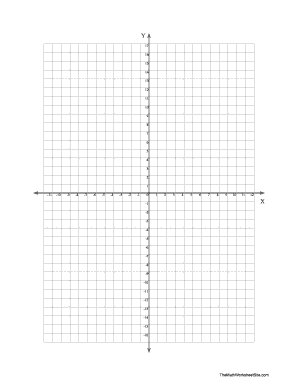
Before you rely on a drawing, do a quick accuracy check. Print a simple grid rectangle and measure across several squares with a caliper or a ruler to confirm that the printed grid matches the intended spacing. Mark margins clearly on the page and repeat the test after any printer setting change. Small deviations add up in larger layouts.
Conclusion and quick guide: use printable and coordinate grids to organize space, then confirm with a print test. Keep consistent grid spacing, margins, and scale, and document these choices for teammates. FAQ: Q1 how to choose grid size? A start with a standard base and adjust. Q2 orientation? A match the layout. Q3 accuracy? A perform a test print. Q4 editing? A keep a fixed grid.