
As an architecture mentor, I often begin with a simple, dependable tool: grids that translate ideas into real space. A well-chosen setup keeps your sketches aligned, scalable, and legible at any scale. Below I guide you through a practical, beginner-friendly approach to graph paper virtual planning.
Mistake one is starting with a blank page and guessing scale. Beginners often pick an arbitrary grid and end up with inconsistent line spacing or misaligned dimensions. The fix is to choose a grid spacing that matches your project’s typical scale, and then commit to it for all initial sketches.
Grid size and orientation
Another common misstep is ignoring paper size and margins. In studying and sketching, designers often draft on pages that are too large for printing, only to discover parts get cropped. The remedy is simple: pick a printable grid that fits your chosen paper size, set generous margins to protect the grid area, and confirm the total width before drawing.
Mistake three is printing scale that doesn’t match your drawing. If you print at the wrong scale, measurements become unreliable. The solution is to pick a concrete scale, such as 1:100 on a standard page, and verify by marking a known dimension on the grid with a ruler. Recheck before locking in the layout.
Practical workflow
Mistake four is neglecting printer and browser settings. If you export or print from a browser, the default may scale to fit, warping your grid spacing. The fix is to print at actual size, or set the scale to 100% and verify with a test print. Also check orientation and margins before final prints.
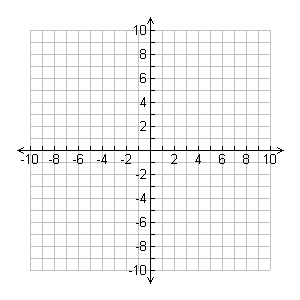
Another pitfall is mixing grid types. For early concepts, a light square grid helps speed; for precise measurements, switch to coordinate grids with labeled axes. Consider grid spacing that supports your typical room dimensions; a 1/4 inch square on letter paper works well for rough plans, but you may need 1/8 inch for detailed layouts.
Final take: a consistent grid strategy speeds sketches and reduces errors. Use a comfortable paper size, fixed margins, and actual-size printing. FAQ: Q1: Best grid spacing? A: Start with 1/4 inch squares and adjust. Q2: Paper size? A: Letter or A4. Q3: How to verify accuracy? A: Print a test with a known dimension. Q4: Should I adjust scale for details? A: Yes, switch to a closer spacing when needed.