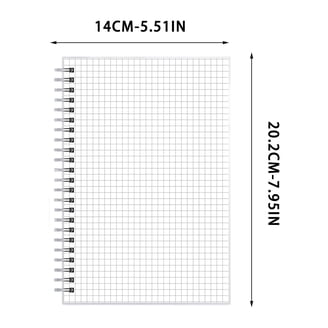
As a technical drawing instructor, I teach students to read lines, measure carefully, and plan layouts before committing graphite to paper. In practice, nothing speeds up concept development like layers you can move and compare. That is why I lean on transparent graph paper as a versatile tool for early sketches and overlay work. It lets you test scale and alignment without committing to permanence, which reduces rework and helps teammates visualize ideas during critique.
Over the years I've seen designers from architecture to product design gain confidence when their plan is built on a grid you can see through. This guide shares how to pick grid paper, set grid spacing, and incorporate margins and scale into a reliable workflow. You'll find practical tips you can apply in studio or classroom with common drawing tools and printer settings.
Myth vs Reality
Myth and reality surround the idea that transparent grids magically deliver perfect results. Many students assume that simply layering sheets or using a transparent overlay will yield precise outcomes. In practice, parallax, misalignment between layers, and inconsistent scale can creep in. Overlays are helpful for visual checks, but they don't replace a fixed baseline grid and a properly calibrated scale. Rely on a stable coordinate grid, a reliable ruler, and a defined margin to anchor every line you draw.
Reality checks the myth by stressing disciplined setup: a consistent grid spacing, careful paper size choice, and a plan for verifying measurements. For example, choose grid spacing that matches your project’s scale. A 1/4-inch square grid is common for quick architectural planning in inches, while a metric 2 mm grid works well for finer work. Maintain margins around the drawing area to keep edges clean for mounting or photographing. If you must transfer measurements, count intersections instead of guessing from freehand marks, and verify with a ruler.
Planning and sketching with grid paper
Begin with a standard paper size such as Letter or A4, and decide orientation based on the subject. Landscape suits wide layouts like site plans or workflow diagrams; portrait is better for tall diagrams or step-by-step sequences. Pair this with a square grid or a measurement grid that matches your scale, and consider a coordinate grid when you need labeled axes to keep parts aligned. If you’re mapping multiple components, a logical grid helps keep placement consistent across views.
When preparing printable grids or doing at-home drafting, set the scale to 100 percent and avoid automatic resizing. In browser or printer settings, disable fit-to-page options that compress the grid. Print a test page and measure a few known distances with a ruler to confirm that a single grid square equals the intended length. If the results drift, adjust margins or scale and print again until accuracy improves.

Printing scale and setup
Use printable grids that match your preferred grid spacing and paper size; aligning the grid with your document helps if you ever export to a CAD or vector program. When printing, select a non-destructive workflow: print to plain printer with minimal margins, then verify with a ruler before finalizing. For layouts that will be scanned or shared, include a small reference square on the edge to check later scaling during review.